In the editor, click the web address under your name at the top.
Or click Preview to see the page you are working on.
Is it live?
Only published sites can be seen by the public. Open Settings & sharing: if it says Your site is unpublished, click Publish now.
Share links and QR code
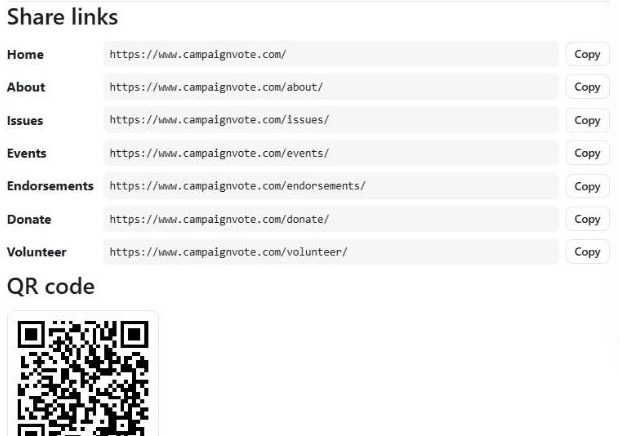
Open Settings & sharing and scroll down. Each page has its own link with a Copy button: paste it into texts, emails and social posts. Click Download PNG under the QR code to print it on yard signs, flyers and push cards.
Share links and your QR code, in Settings & sharing.
Add your social accounts
Also in Settings & sharing, paste the full web addresses of your Facebook, Instagram, X, YouTube, TikTok, LinkedIn or Threads pages so voters can follow you.
Use your own domain (paid upgrade)
Want an address like www.janeforcouncil.com? Contact us to turn on the custom domain upgrade. Then:
1
Enter your domain
In Settings & sharing, under Custom domain, type your domain and click Save.
2
Add the records it shows
At the company where you bought the domain (GoDaddy, Namecheap and so on), add the CNAME record for www shown on screen, and set the domain without www to forward to your www address.
3
Check the connection
Wait about 15 to 30 minutes, then click Check connection. When it says Live, your links and QR code switch to your domain automatically. Your old address forwards there, so nothing you already shared breaks.