Web Analytics

SIGN IN AND SIGN OUT

Getting in and out of your dashboard

Your dashboard is where you build and edit your site. Here is how to open it and how to leave it safely.

Help Center › Sign in and sign out

How to sign in

1

Open the Sign in page

Go to snapcardme.com/sign-in, or click Sign-In in the top menu of snapcardme.com.

2

Enter your details

Type your email and your password. Check Keep me signed in on this device on your own computer or phone so you stay signed in.

3

Click Sign in

You arrive at Your campaign sites. Click Edit on your site to start making changes.

Your campaign sites screen with a site card showing Edit, Quick fill and View buttons, and a Start a new site card
Your campaign sites: Edit opens the editor, View opens your live site.

Bookmark your dashboard

Save snapcardme.com/dashboard as a bookmark. If you are not signed in, it asks you to sign in first, then takes you straight there.

How to sign out

1

Go back to your list of sites

If you are editing, click All sites at the top right. Your changes are saved first.

Editor top bar: All changes saved, All sites, Quick fill, Preview and Save buttons
The editor’s top bar.

2

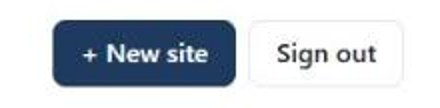
Click Sign out

Click Sign out at the top right of Your campaign sites. You are signed out and taken to the snapcardme.com home page.

The New site and Sign out buttons at the top right of Your campaign sites
Sign out is next to + New site.

Always sign out on shared computers

On a library, office or campaign office computer, sign out when you finish and do not check Keep me signed in.

Trouble signing in?

On the Sign in page click Forgot your password?, or go to reset your password. Enter your email and we email you a link to choose a new one. Check your spam folder if it does not arrive within a few minutes.

Try the email addresses you use most. If none work, contact us and we will help.

Passwords are case sensitive. Check that Caps Lock is off, or reset your password.

Always sign in at snapcardme.com, even if your site uses your own domain. Your own domain shows your public site; your dashboard stays at snapcardme.com/dashboard.